

Role
Production documentation
How many people touch one change to a process card before it reaches the workstation? If you do not know exactly, you also do not know how many of them are still working from the previous version.
Intro call
Four questions we would start with
How many people touch one change to a document before it takes effect?
Count them all: the author, the approvers, whoever prints it, the shift supervisor and the operators on three shifts. It usually comes out higher than it seems.
Where does a document go after approval?
If the answer is "into a folder and onto a printout", you have two sources of truth and one of them will always be older.
What happens when a version is withdrawn?
Whether anyone checks that the copy at the workstation has gone too, or whether it rests on the assumption that someone will take it down.
Which document do you change most often?
That one is enough to see how much manual work the approval flow hides, and how many people have to hear about a change separately.
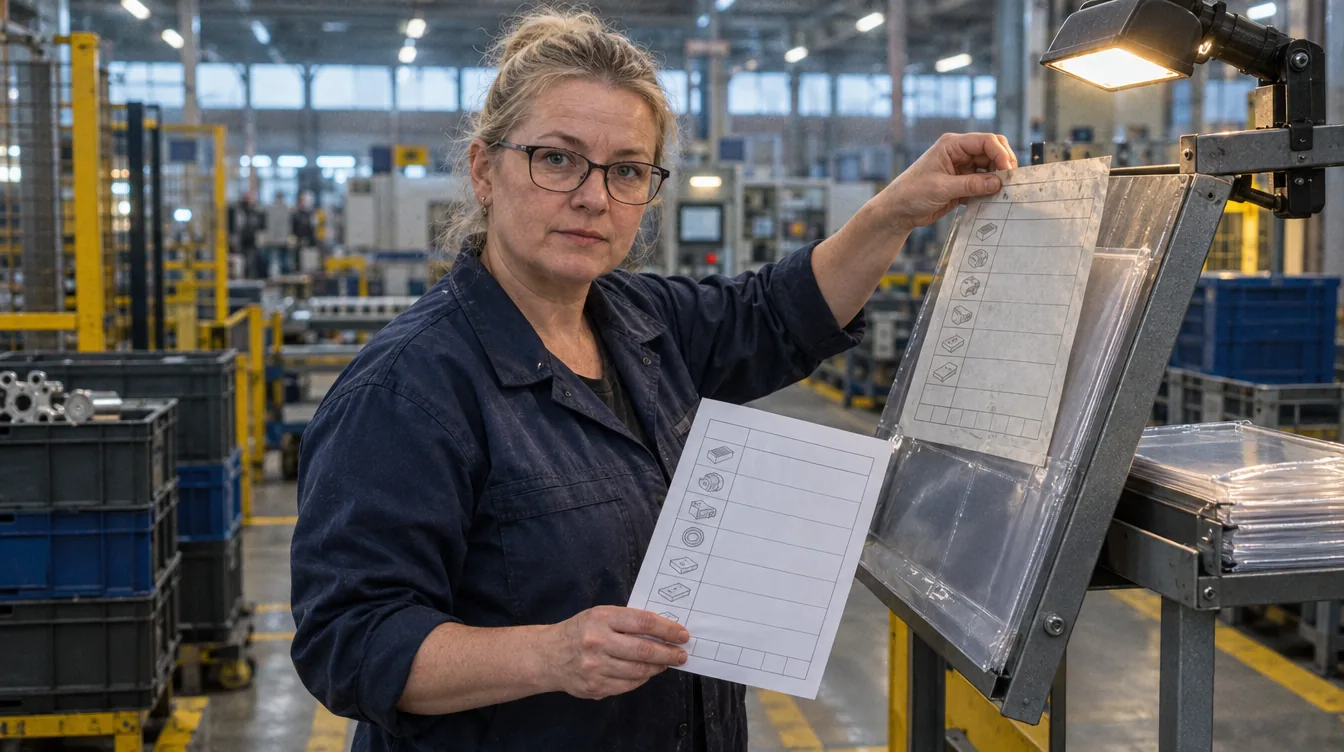
We take over the flow and the distribution, you keep the content and the approval
Keeping versions, routing for approval, distribution and withdrawing versions can be taken off the desk. What goes into the document and who approves it stays a human decision.
- One version in force, visible from everywhere. - There is no folder and printout as two parallel sources - the printout is a copy, and a copy carries a date and a version number.
- The reach of a change is pointed out. - Which documents, workstations and products a change covers is visible before the flow starts, not after.
- Withdrawing a version is an event, not an assumption. - A withdrawn document stops being available for use at the workstation, but stays in the archive marked with the dates it was in force - otherwise you cannot show which card a batch from two years ago was made to. The withdrawn document and the workstations still on the old version are both pointed out.
Scope
What can be taken off production documentation
Twenty example tasks. Each one has a human approval point. Below is a selection, and the scope we fit to your document system.
Creating a document
- A draft document on the template in force (content: the specialist)
- Checking the fields are complete before it enters the flow
- Linking the document to the product, the operation and the workstation
- A signal when a document is created on an out-of-date template
Flow and approvals
- Routing to the right approvers by document type
- A reminder when an approval has been waiting longer than agreed
- A stand-in when an approver is away (named by: the specialist)
- A signal when a document waits for approval longer than the product's production cycle
- A register of approvals with the date and the person
Versioning
- Assigning the version number and the date it takes effect
- A summary of the differences against the previous version
- The document's version history in one view
- A signal when two versions are in force at once
Distribution to the floor
- The list of workstations the document has to reach
- Confirmation that a workstation is working from the current version
- Pointing out workstations with a version older than the one in force
- A printout with the version number and date on every page
Withdrawing versions
- Marking a version as withdrawn and taking it out of use, while keeping it in the archive
- The list of copies to be taken down from workstations
- Confirmation of withdrawal by the shift supervisor (confirmation: the shift supervisor)
A day's work
Today
- When something changes you work out yourself which other documents need correcting
- You chase approvals by email and phone
- You send the version round to departments without knowing who opened it
- You do not know which version is hanging at the workstation on the third shift
- Withdrawing the old version rests on somebody taking it down
- The document's change history lives in file names
With AI assistance
- You see the reach of a change before the flow starts
- Approvals remind themselves, and a stand-in is named
- You can see which workstations have the current version and which an older one
- The document at the workstation carries the version number and date on the printout
- Withdrawal is an event with confirmation, not an assumption
- The version history and the differences are in one view
- Current documents at the workstation
fewer places working from an old version
a version mismatch is pointed out rather than assumed
- The flow of a change
the change reaches the floor through the flow, not through reminders
the flow and the confirmations happen without manual work
- The risk of working from an old version
less chance of a product made to a withdrawn card
withdrawal blocks access and points out the copies
- A record of approvals
at an audit it is visible who approved and when
the register is built during the flow
We start with versioning, because without it the rest has no reference point.
- Step 1
One place with the version in force
The documents in one register, with a version number and the date it takes effect.
- Step 2
The approval flow
Routing to the right people, reminders, a register of approvals.
- Step 3
Distribution and confirmation at the workstation
Visibility of where which version is in force.
- Step 4
Withdrawal
Blocking access and the list of copies to take down. Last, because it needs the distribution to be working.
Common questions
Questions that come up at the first meeting
What about documents that come from the client?
They enter the same register as external versions, with the source recorded. That is usually where version drift is largest, because the client sends corrections outside your flow.
Will documentation need fewer people?
Document control is largely chasing signatures and keeping track of which version hangs where. Taking that over removes nobody's job - it removes work nobody considers theirs and everybody puts off. The specialist works on the content of the document rather than on its flow, and that is the whole difference.
Does this fall under the AI Act?
Keeping documentation is not a high-risk use. The register of approvals contains personal data - the names of the approvers - and that is a data protection matter, handled by retention and scope of access, not by the regulations on AI systems.
Still have a question that is not here? Book a call
Next step
Which version of the card is hanging today at your busiest workstation?
We will show you what a documentation flow looks like when there is one version in force and the workstations on an older one are pointed out.